
YouTube Epson America
YouTube kanál Epson America nabízí široké spektrum videí o produktech Epson dostupných v USA. Obsah zahrnuje inkoustové tiskárny, multifunkční zařízení, projektory pro domácí i profesionální použití, skenery a velkoformátové tiskárny. Je určen jak běžným uživatelům, tak profesionálům, kteří hledají podrobné informace o digitálním zobrazování a tisku.
Meet the Epson Home Cinema LS5000, Epson’s next generation of 4K HDR digital projection featuring Epson's proprietary 3-Chip 3LCD technology for bright, sharp images, accurate color and deep black levels.
13. 10. 2026
Meet the Epson Home Cinema LS6000, Epson’s next generation of 4K HDR digital projection featuring Epson's proprietary 3-Chip 3LCD technology for bright, sharp images, accurate color and deep black levels.
13. 10. 2026
Meet the Epson Home Cinema LS7500, Epson’s next generation of 4K HDR digital projection featuring Epson's proprietary 3-Chip 3LCD technology for bright, sharp images, accurate color and deep black levels – Including a unique short-throw lens.
13. 10. 2026
Meet the Epson Home Cinema LS11000, Epson’s premium 4K HDR digital projector featuring Epson's proprietary 3-Chip 3LCD technology for bright, sharp images, accurate color and deep black levels.
13. 10. 2026
With an Epson Home Cinema 4K HDR projector, you can transform virtually any room in your house into an epic home theater experience. Perfect for movies, gaming, and live sports.
13. 10. 2026
Learn how to load fanfold paper into your Epson ColorWorks CW-D3800 Color Label Printer. Follow along to attach the paper feed guide, adjust the platen shutters and paper guides, feed the fanfold paper, and confirm the printer is ready to print. For more information, please visit epson.com/colorworks-color-label-printers
8. 10. 2026
Set up the printer driver for your Epson ColorWorks CW-D3800 Color Label Printer. This step-by-step tutorial shows you how to configure media settings, select print quality options, adjust auto-cut settings and perform a test print. For more information, please visit epson.com/colorworks-color-label-printers
8. 10. 2026
Learn how to set up your Epson ColorWorks CW-D3800 Color Label Printer for printing from a Mac. This step-by-step tutorial shows you how to add the printer, configure media and custom paper sizes, adjust print quality and auto-cut options and save frequently used settings as presets. For more information, please visit epson.com/colorworks-color-label-printers
8. 10. 2026
Learn how to set up your Epson ColorWorks CW-D3800 Color Label Printer. Follow along to configure the initial settings, install the included ink cartridges and complete ink charging. For more information, please visit epson.com/colorworks-color-label-printers
8. 10. 2026
Learn how to load roll paper into your Epson ColorWorks CW-D3800 Color Label Printer. Follow along to properly position the paper, adjust the guides and platen shutters, and confirm the printer is ready to print. For more information, please visit epson.com/colorworks-color-label-printers
8. 10. 2026
Discover the ColorWorks CW-D3800 On-demand Color Badge and Label Printer, a compact, versatile solution designed to streamline visitor management, to-go orders, item labeling and more. Featuring PrecisionCore Heat-Free technology, high-speed printing, spot color matching and a standard autocutter, it delivers productive performance and high-quality color labels across a variety of applications.
7. 10. 2026
Take on more with the SureColor G9070 direct-to-film printer. Built for demanding DTFilm workflows, it brings together performance, consistency and intelligent automation to help simplify production and keep your business moving. From everyday jobs to high-volume output, it’s ready for what’s next. Learn more at epson.com
2. 10. 2026
Take a look inside this stunning nine-seat dedicated home theater designed and installed by TRIPhase Technologies in Zionsville, Indiana.
Created to blend seamlessly with the home's interior while delivering an immersive experience for movies, sports, gaming, and more, the theater combines thoughtful design with high-performance AV technology.
At the heart of the system is an Epson QL Series projector delivering 10,000 lumens and impressive HDR performance, paired with a 135-inch acoustically transparent Seymour-Screen Excellence screen. The system also features McIntosh processing and amplification, madVR video processing, JL Audio Fathom subwoofers, and James speakers.
See how TRIPhase Technologies used Epson's flexible lens shift technology to overcome architectural challenges and create a theater that performs beautifully whether the lights are on or off. For more information: https://epson.com/qseries
2. 10. 2026
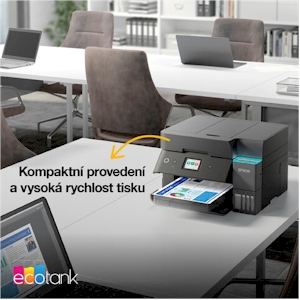
EcoTank uses big, affordable ink bottles instead of tiny expensive cartridges. Print in color all you want with Epson EcoTank! Shop now at: EpsonEcoTank.com
1. 10. 2026
Get started with the SureColor F170 and F370 dye-sublimation printers. See what comes in the box and follow along with the initial printer setup.
29. 9. 2026
Sledujte nás na Facebooku